Quickstart - VFX Supervisor
You're a T2 role focused on flagging VFX shots and tracking capture readiness for turnover. The VFX Dashboard is full write; shots are write; everything else is sparse by default.
Day one
- Open Coverage → VFX. Grace may have flagged some shots already via the Claude Haiku VFX-suggest pass - review and accept/dismiss those suggestions.
- Walk through the shot list scene by scene. For each shot that needs VFX, flag it.
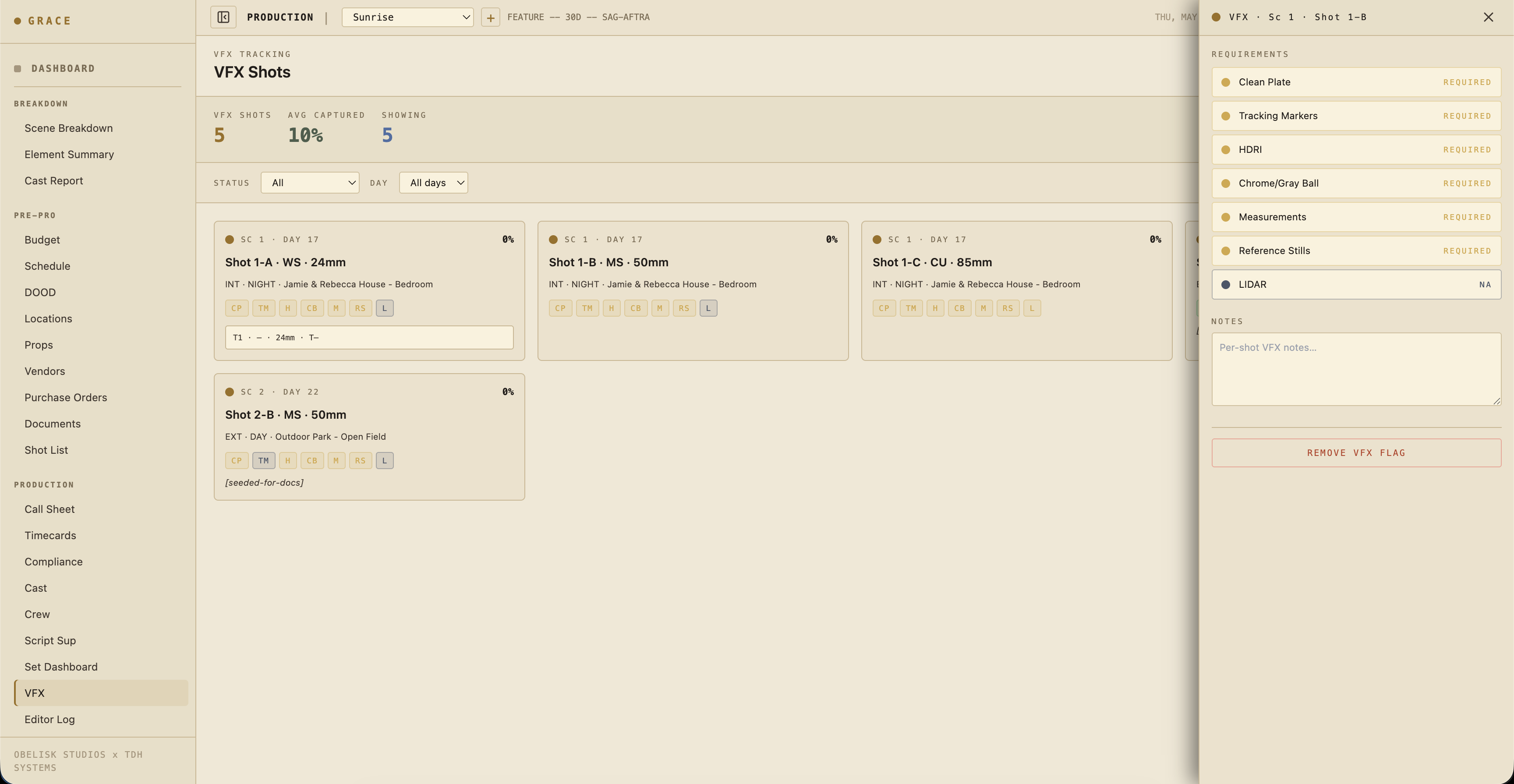
- Set the capture requirements per flagged shot: clean plate / tracking markers / HDRI / chrome+gray ball / measurements / reference stills / LIDAR.
What you do day-to-day
For each flagged shot, the dashboard tracks 7 capture requirements with status required / captured / na:
- Clean plate - empty-frame plate without actors.
- Tracking markers - visible markers for 3D track.
- HDRI - light probe panorama.
- Chrome + gray ball - exposure + lighting reference.
- Measurements - physical set measurements / scale references.
- Reference stills - photos of the set, props, costumes.
- LIDAR - scan of set geometry.
Mark each as captured during the prep / shoot day. By turnover time, every requirement on every flagged shot should be captured or na.
Status colors
The dot system applies here too:
- 🔵 Blue - Grace suggested this shot is VFX (via AI classification).
- 🟡 Gold - Human flagged or confirmed.
- 🟢 Captured - Requirement satisfied.
Turnover
At wrap, generate the VFX turnover PDF (button on the dashboard). The PDF includes:
- Every flagged shot with capture status
- Linked takes (with camera report data)
- Linked dailies clips
- Scene context
What you can write to
- VFX shot requirements (full)
- Shots (write - to add notes, etc.)
- Script Sup Dashboard (none by default)
- Editor Log (read)
Next reads
- VFX flagging + turnover - full workflow.
- Editor log - where your captured takes show up for post.